

Speak instead of typing
Quickly check what the last quote said on your way to a customer, or ask a question about the maintenance manual on the shop floor: tap the microphone and speak. 9brains turns it into text, you check it briefly and send it.
9brains is the GDPR-compliant AI platform for businesses, hosted in a data centre in Germany. The app puts 50 AI models from 12 providers, your agents, projects and your company's knowledge in your pocket, with the same credentials you use on your computer.

Included in every plan, including the free trial.
No account yet? Sign-up and licence purchases happen in the browser.
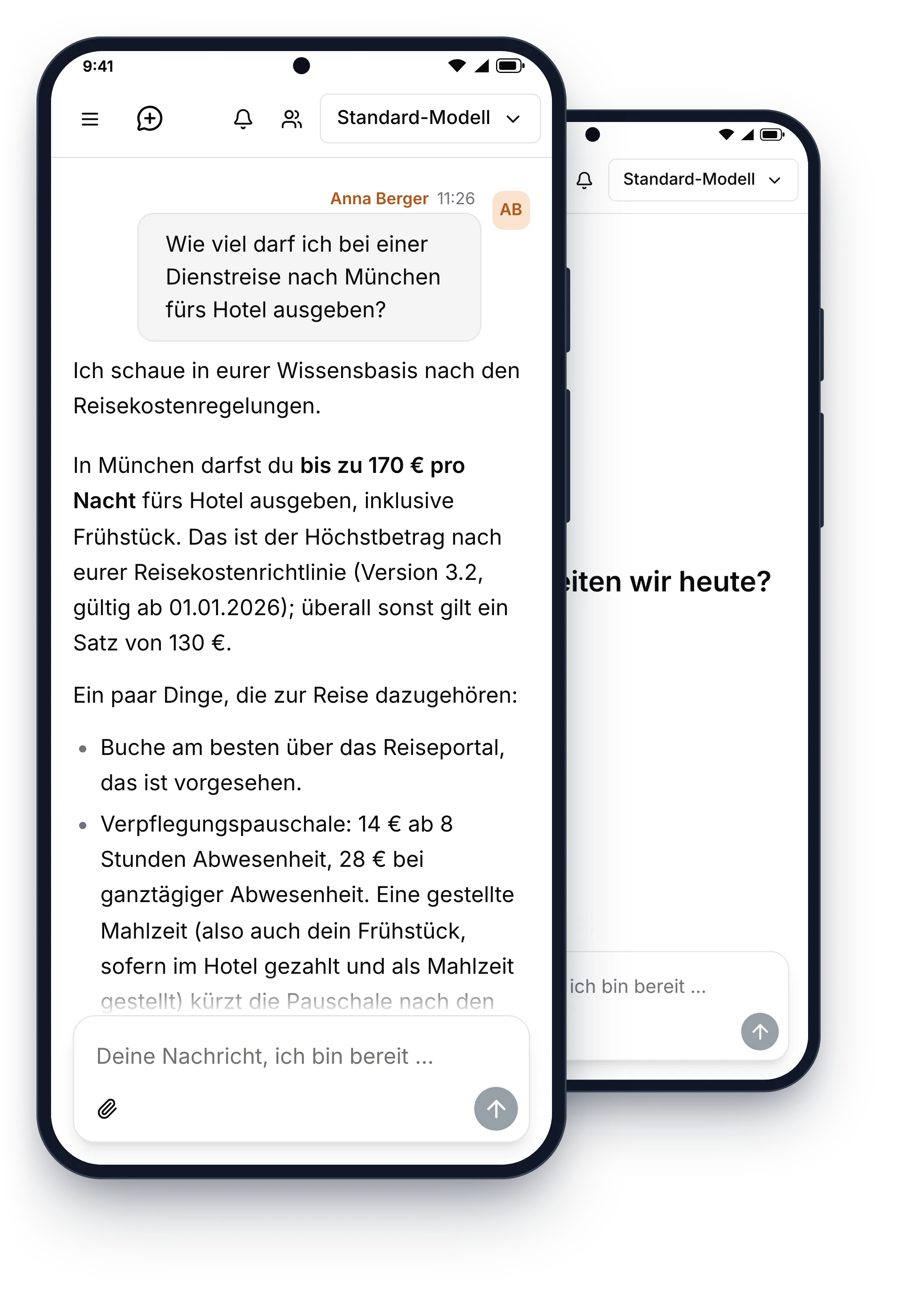
Features
The app does everything 9brains does in the browser: all AI models, agents, projects, skills and your company's knowledge base. On top of that, you get what only really pays off on a phone.
Quickly check what the last quote said on your way to a customer, or ask a question about the maintenance manual on the shop floor: tap the microphone and speak. 9brains turns it into text, you check it briefly and send it.
When 9brains creates a spreadsheet, a quote or a presentation for you, open the file on your phone with a single tap. From there, pass it on just like any other file.
Under Settings → Security, turn on unlocking with your fingerprint or face. 9brains then opens only for you, even if your phone ends up in someone else's hands.
Your chats are the same on every device. Whatever you start on the go, you continue at your computer in the office. Keep working on shared chats together with your colleagues.
Your data stays in Germany, whether you work at your desk or on the go. How we ensure data sovereignty Plans and pricing
A closer look
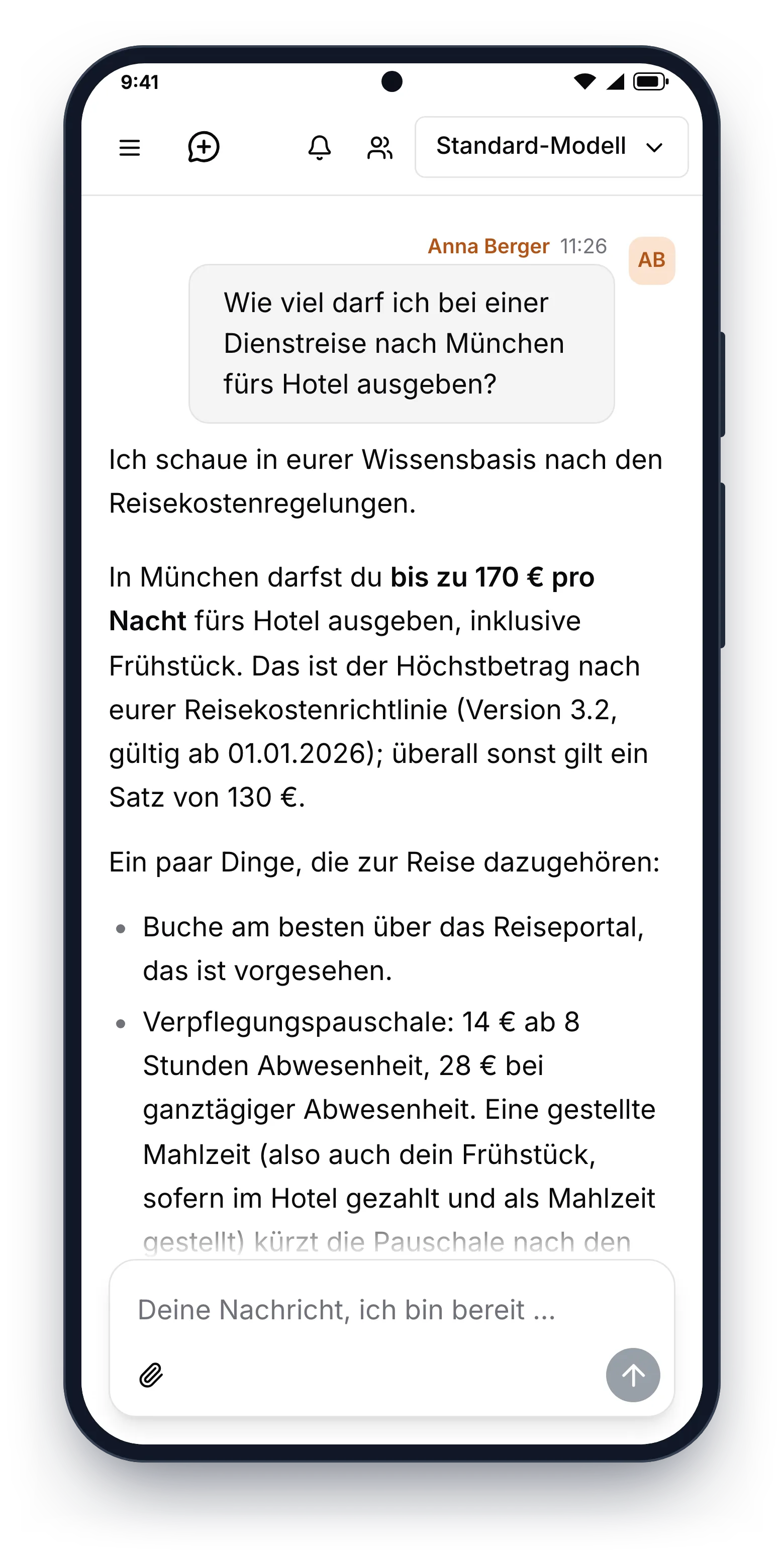
Ask about rules and processes and 9brains answers from your own documents, such as your travel expense policy.
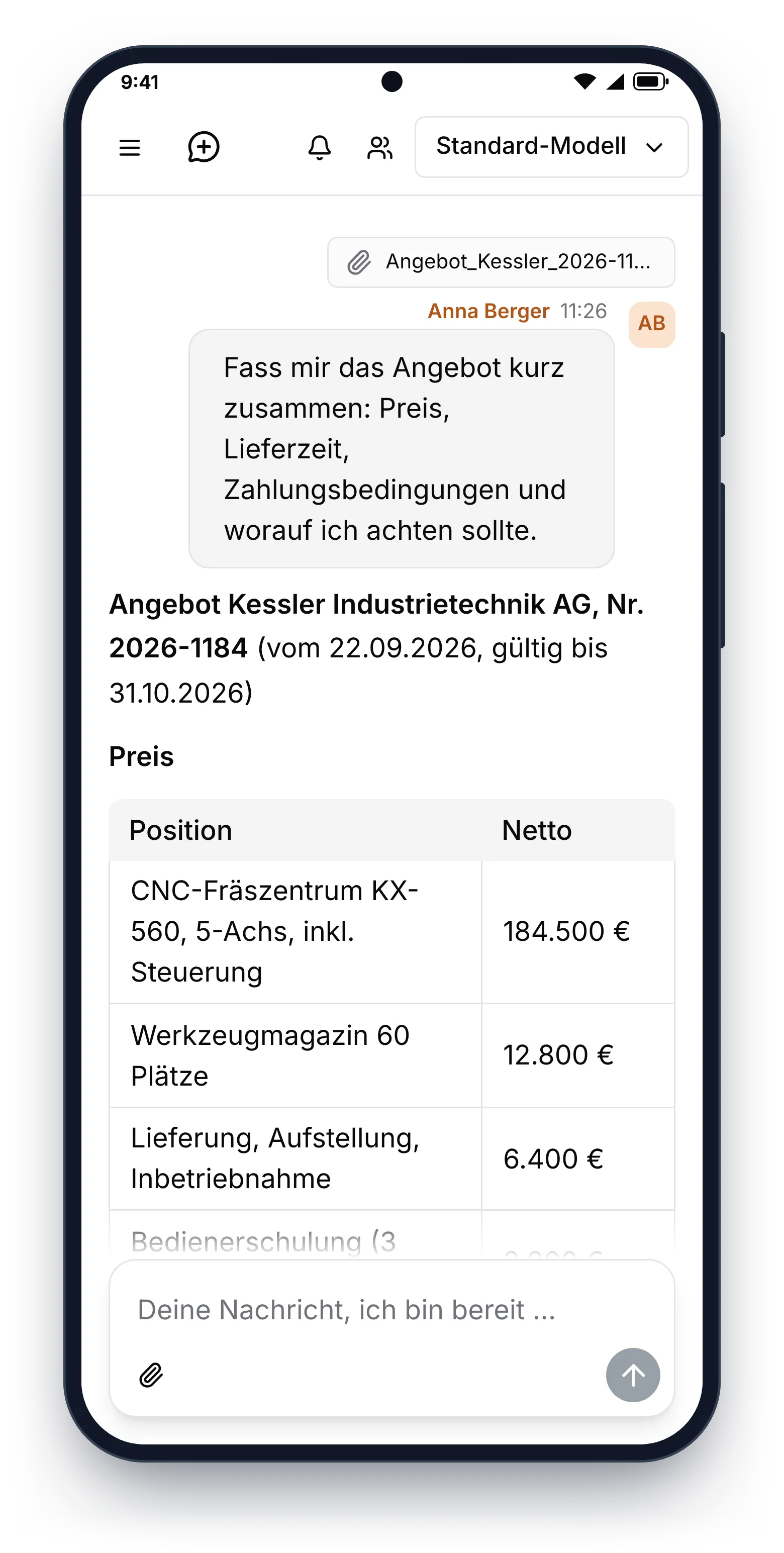
Attach a quote and get a clear summary of prices, delivery time and payment terms.
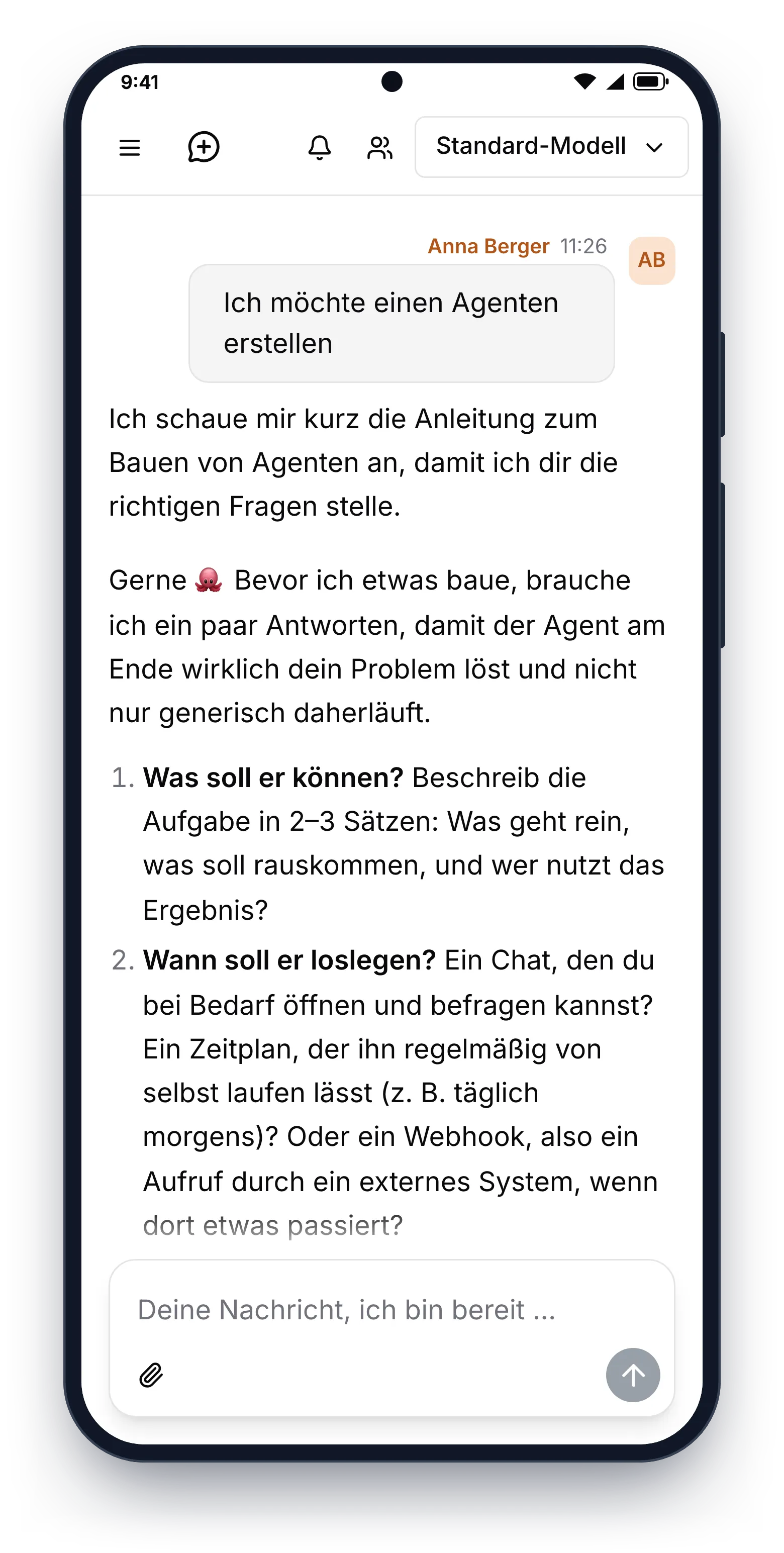
Describe what an agent should do. 9brains asks what it needs to know and sets it up for you.
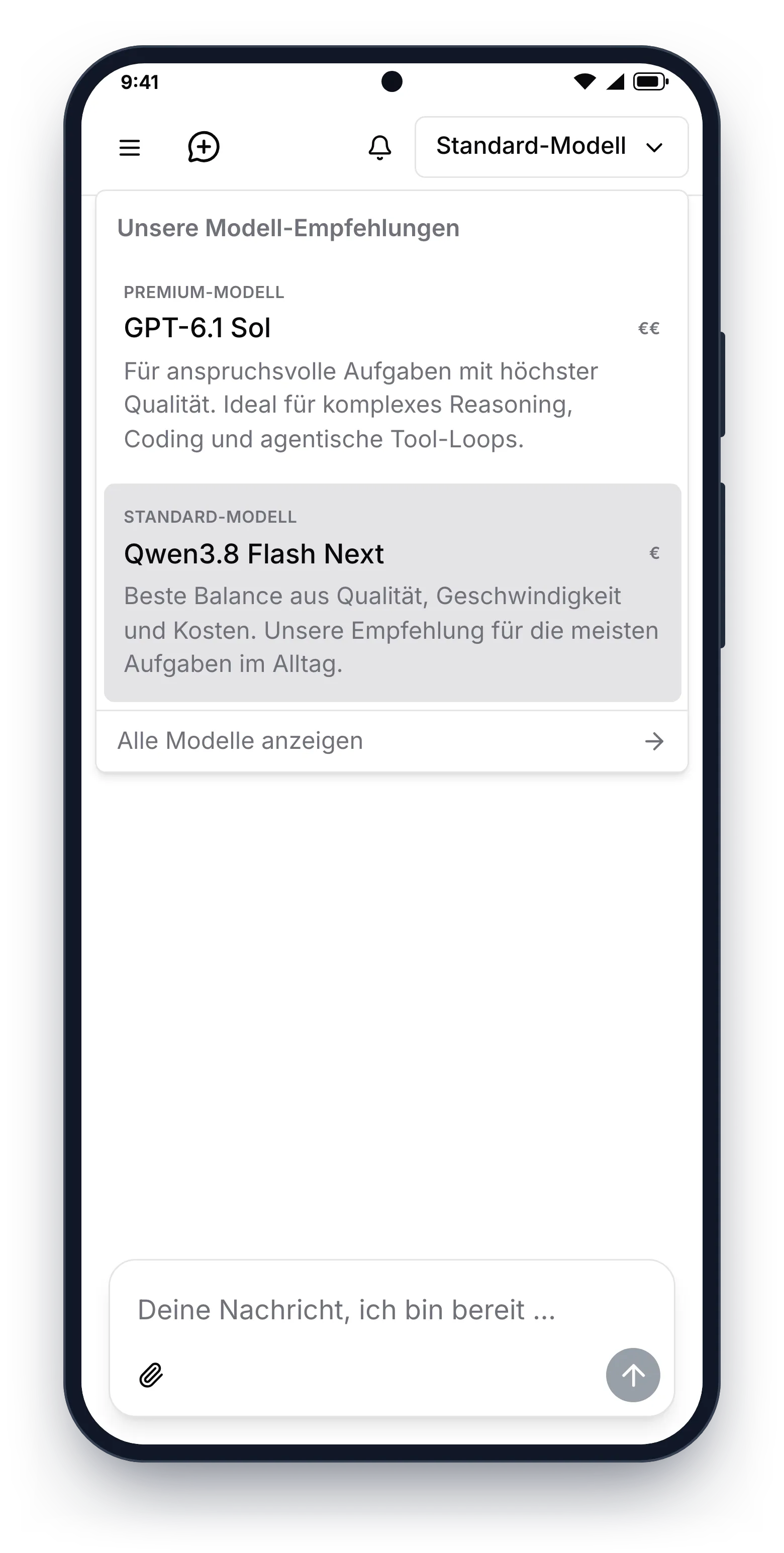
Switch the model depending on the task, just like on your computer.
Getting started
Sign-up and licence purchases happen on the website. Try 9brains for free or get invited by your company.
Download 9brains from the Google Play Store onto your Android phone or tablet.
Sign in with the same credentials you use on your computer. Your chats, agents and projects are there right away.
FAQ
No. The app is included in every plan, including the free trial. You use your existing 9brains account; you don't need an additional licence.
No. You can only create an account and buy licences in the browser. After that, sign in to the app with the same credentials you use on your computer.
Yes, except sign-up and licence purchases. Chats with all AI models, agents, projects, skills, files and your company's knowledge base are just as available in the app as on your computer.
Just like in the browser: your data is stored exclusively with us in Germany. Compared to the browser version, the app collects no additional data, shows no ads and does not analyse your usage for advertising purposes.
On Android phones and tablets running Android 7.0 or later. You'll find the app in the Google Play Store under the name 9brains. The app for iPhone and iPad is coming shortly.
Yes, shortly. The app for iPhone and iPad is finished and currently in review by Apple. As soon as it is approved, you'll find it here and in the App Store. Until then, use 9brains in the browser on your iPhone; with a shortcut on your home screen, it's just as quick to reach.
Create your account in the browser, try 9brains for free and then sign in to the app.